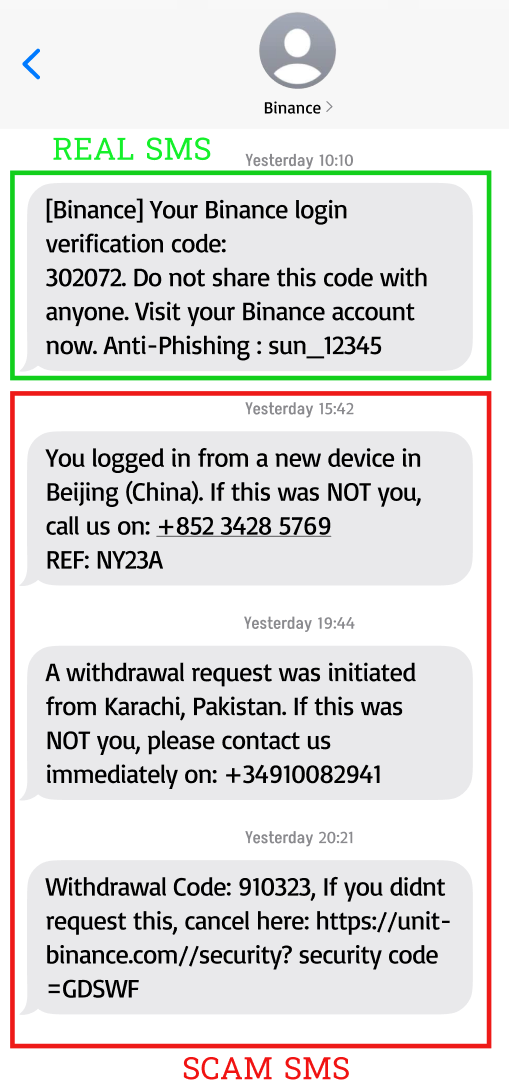
We have noticed a rise in fraudulent SMS messages impersonating Binance actively targeting users in AU again. These messages deliberately create false panic, claiming your account is ‘at risk’, pressuring you into calling fake support numbers or clicking malicious links, putting your funds and personal data at immediate risk.
🔒 Binance will NEVER:
Ask you to call a phone number or interact with links in an SMS.
Request your seed phrase or private key
Share a seed phrase or private key with you
Ask you by phone call or SMS to transfer funds to another wallet
🛡️ Keeping you Safe:
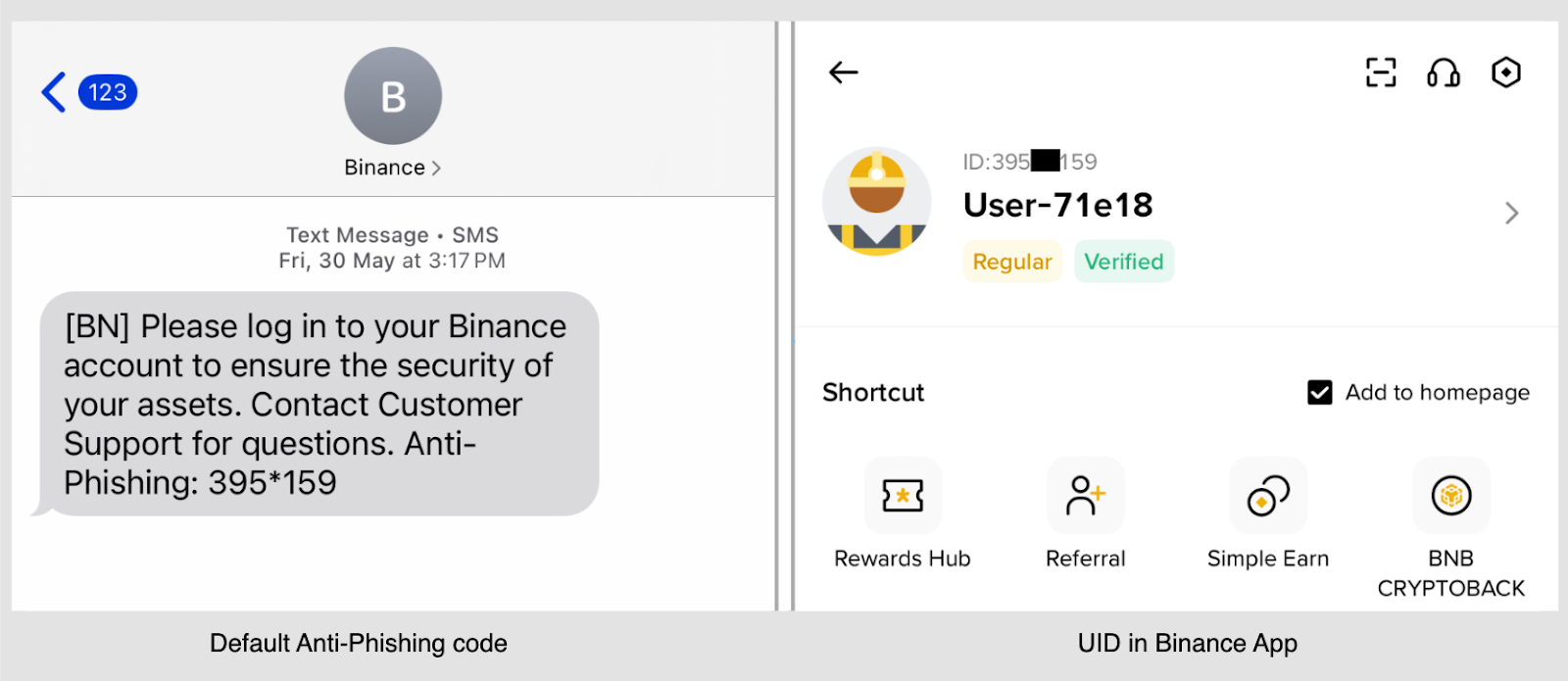
Default Anti-Phishing Code — To help protect your account and make it easier to identify genuine Binance SMS, we include your Binance User ID (UID) as a default code. You can find and verify your UID in the top left corner of your Binance app.
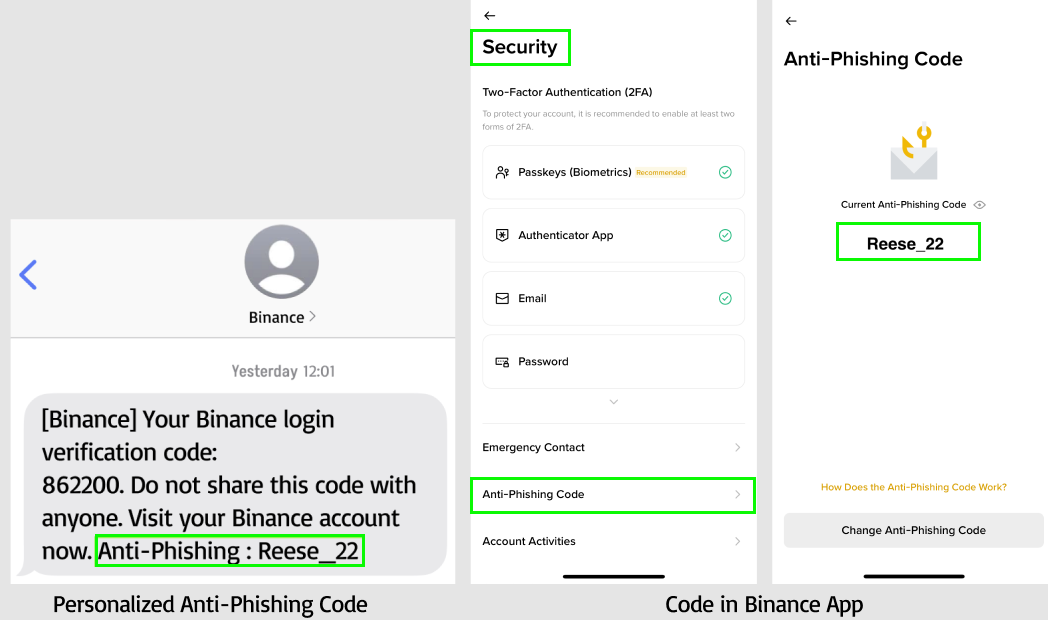
Personalize your Anti-Phishing Code — Create your own custom Anti-Phishing Code in the Security Center (App or Web). This makes it even easier to identify real Binance messages and stop scammers in their tracks.
✅ Safety Checklist:
Verify authenticity - Use Binance Verify to confirm any website, email, phone number, or social account claiming to be Binance.
Report scams - If you receive a suspicious message, report it immediately.
Secure your account - If you suspect any issue, immediately change your email password and update your Anti-Phishing Code.
Click here to setup your Anti-Phishing Code now!
🚫 Remember: Binance will never contact you(nor request you contact us) directly via SMS or phone call.
Always verify your Anti-Phishing Code before trusting any message.
Stay alert. Stay secure.
The Binance team