
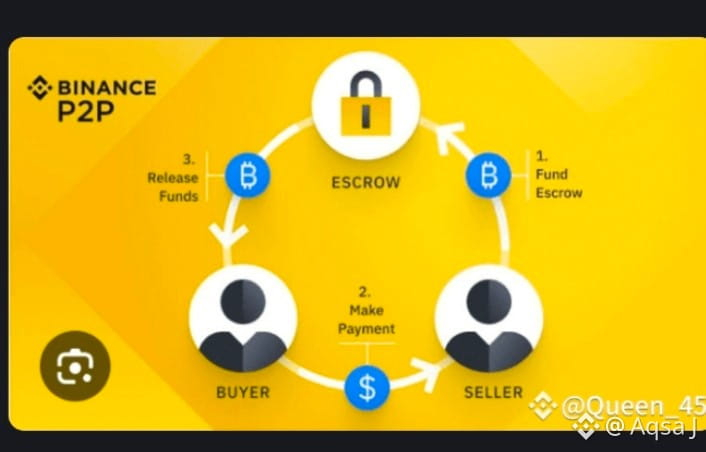
🔰 What is Binance P2P?
P2P (Peer-to-Peer) means:
👉 You buy $USDT /crypto directly from another person
👉 You pay using bank transfer / Easypaisa / JazzCash
👉 Binance acts as escrow (keeps crypto safe)
STEP 1: Open Binance App
📱 Open Binance App
➡ Tap Wallets (bottom right)
➡ Tap Funding Wallet
➡ Tap P2P
[ Binance App ]
↓
[ Wallets ]
↓
[ Funding ]
↓
[ P2P ]
STEP 2: Go to “Buy” Section
➡ Tap Buy
➡ Select $USDT (recommended for beginners)
[ P2P Trading ]
┌─────────┐
│ BUY │ ← Select this
│ SELL │
└─────────┘
USDT is stable (1 USDT ≈ 1 USD)
STEP 3: Choose Payment Method
➡ Select payment method:
Bank Transfer
Easypaisa
JazzCash
➡ Enter amount (example: 5000 PKR)
Amount: 5000 PKR
Payment: Easypaisa ✔
STEP 4: Select a Seller (Very Important)
Choose seller with:
✅ 90%+ completion rate
✅ Many orders
✅ Online status
Seller A ⭐⭐⭐⭐
✔ 98% completion
✔ 1200 orders
➡ Tap Buy USDT
STEP 5: Transfer Payment
You will see seller’s payment details:
Name: X Y
Bank: Easypaisa
Account: 03XXXXXXXXX
➡ Open your bank / wallet app
➡ Send exact amount
➡ Come back to Binance
➡ Tap “Transferred, Notify Seller”
DO NOT mention “crypto” in payment note
STEP 6: Receive USDT
➡ Seller confirms payment
➡ Binance releases USDT
➡ USDT appears in Funding Wallet
Payment Sent ✔
Seller Confirmed ✔
USDT Received
STEP 7 (Optional): Move USDT to Spot Wallet
If you want to trade:
➡ Wallets
➡ Transfer
➡ Funding → Spot
➡ Enter amount → Confirm
Funding Wallet → Spot Wallet
Safety Tips (Must Read)
❌ Never cancel order after payment
❌ Never chat outside Binance
❌ Only release/confirm inside app
✅ Binance escrow keeps you safe
Summary
PKR → P2P → Buy USDT → Pay Seller → Get USDT → Trade

 #StrategyBTCPurchase #PreciousMetalsTurbulence #MarketCorrection #USGovShutdown #BitcoinETFWatch