You can transfer funds to your Margin Account on the website and app easily.
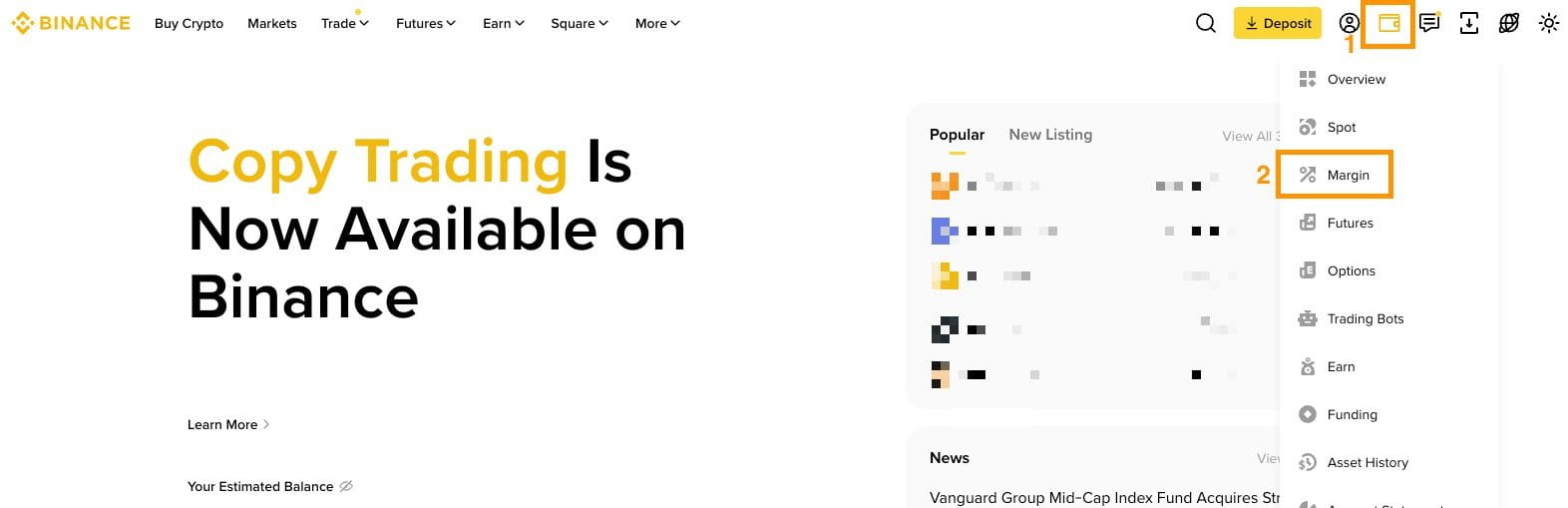
1. Log in to your Binance account and hover over the [Asset] icon. Click [Margin].
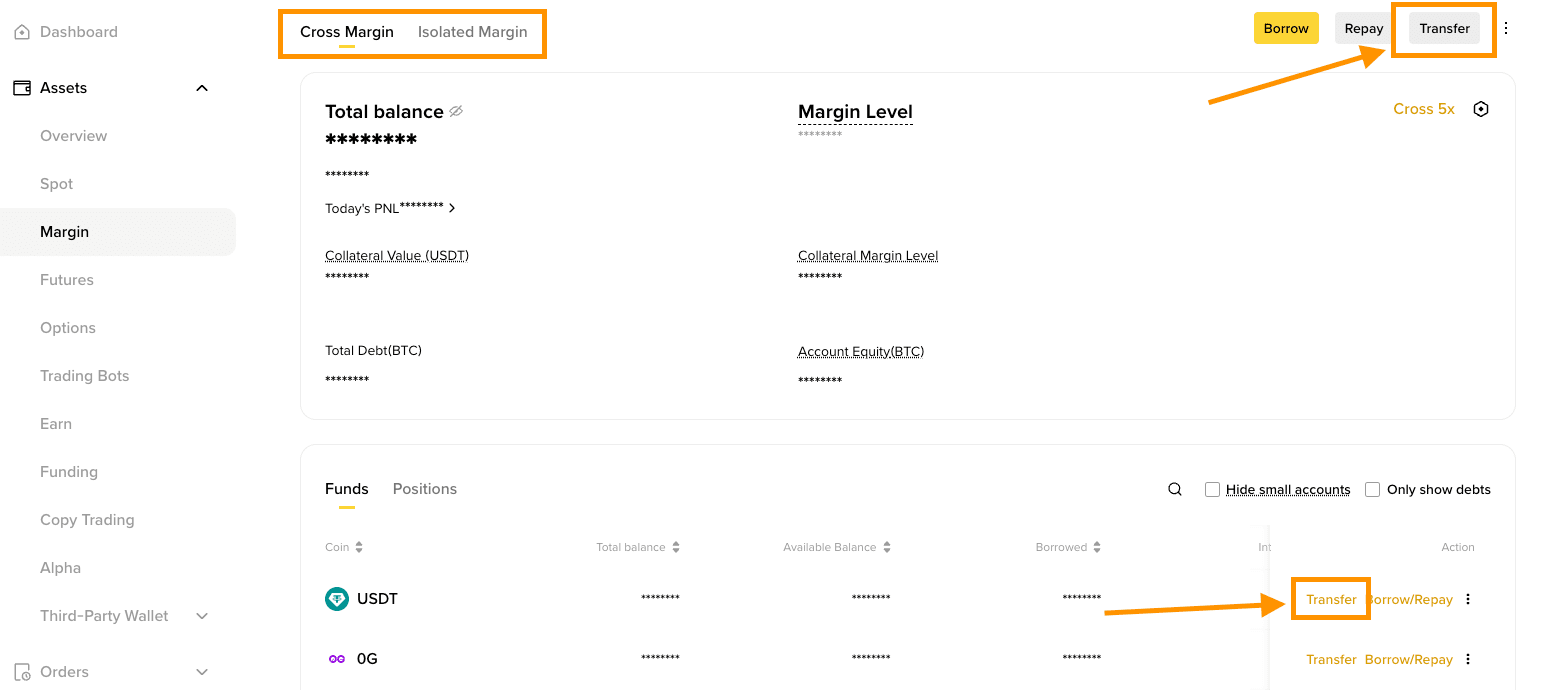
2. Select the Cross Margin or Isolated Margin account. Click [Transfer] next to the coin you want to transfer, or use the [Transfer] button at the top-right of the page.
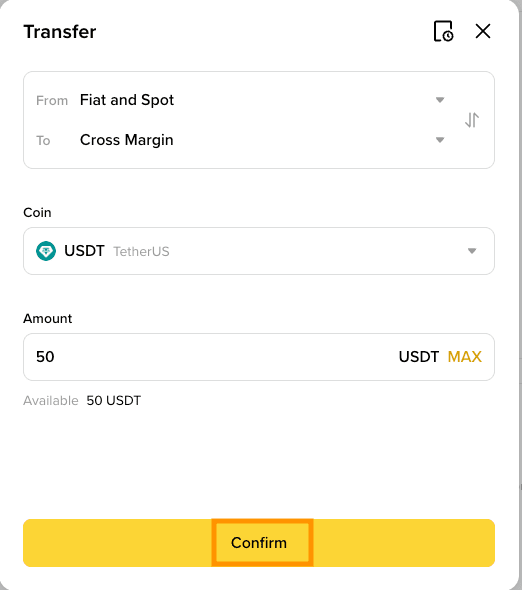
3. Select the wallet you wish to transfer from and confirm that you are transferring to your Cross or Isolated Margin Wallet. Enter the amount and click [Confirm].
4. Once the transfer is complete, you’ll see the updated balance from your Margin Account dashboard.
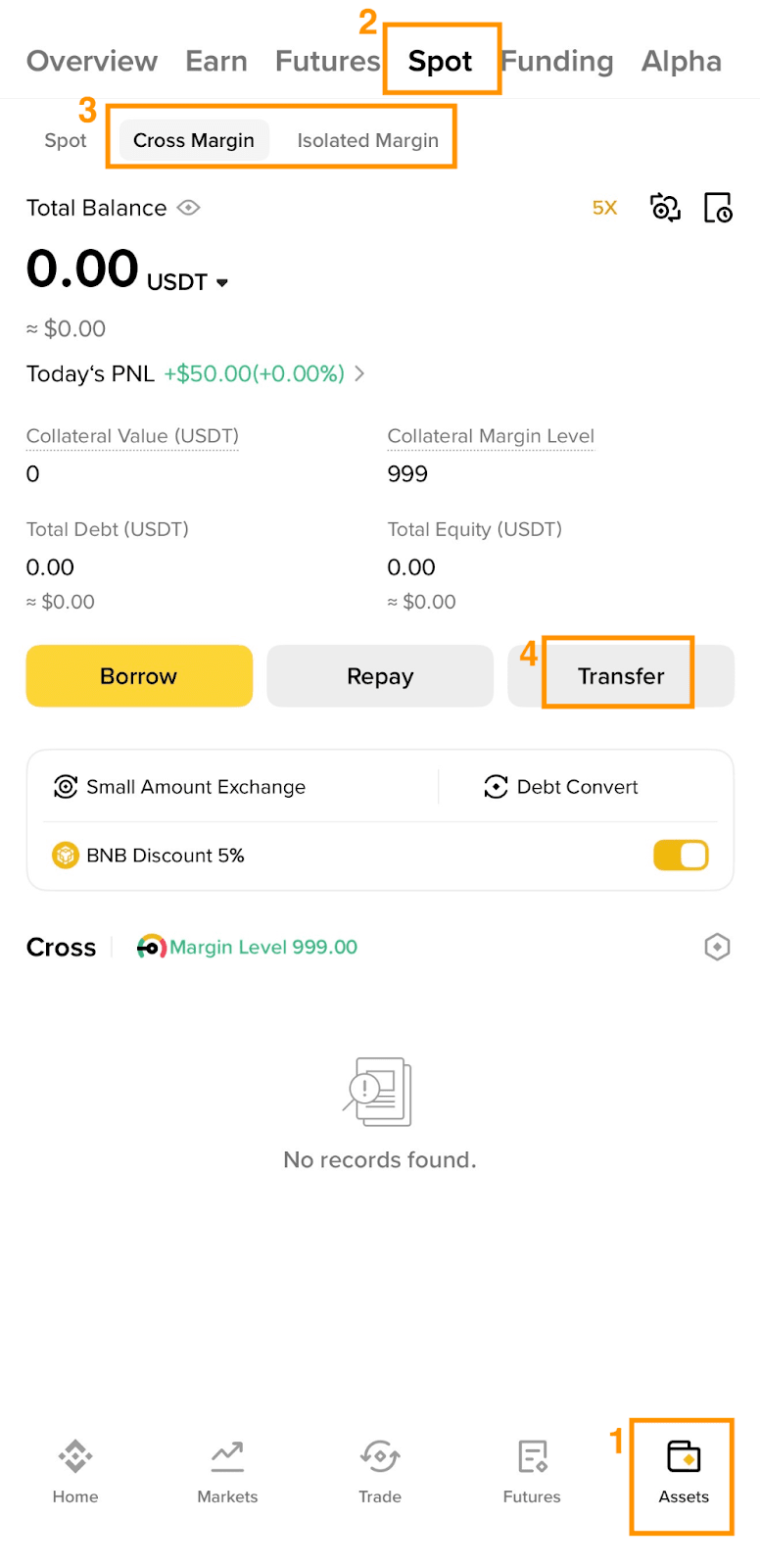
1. Log in to your Binance app and go to [Assets] - [Spot] - [Cross Margin] or [Isolated Margin] . Tap [Transfer].
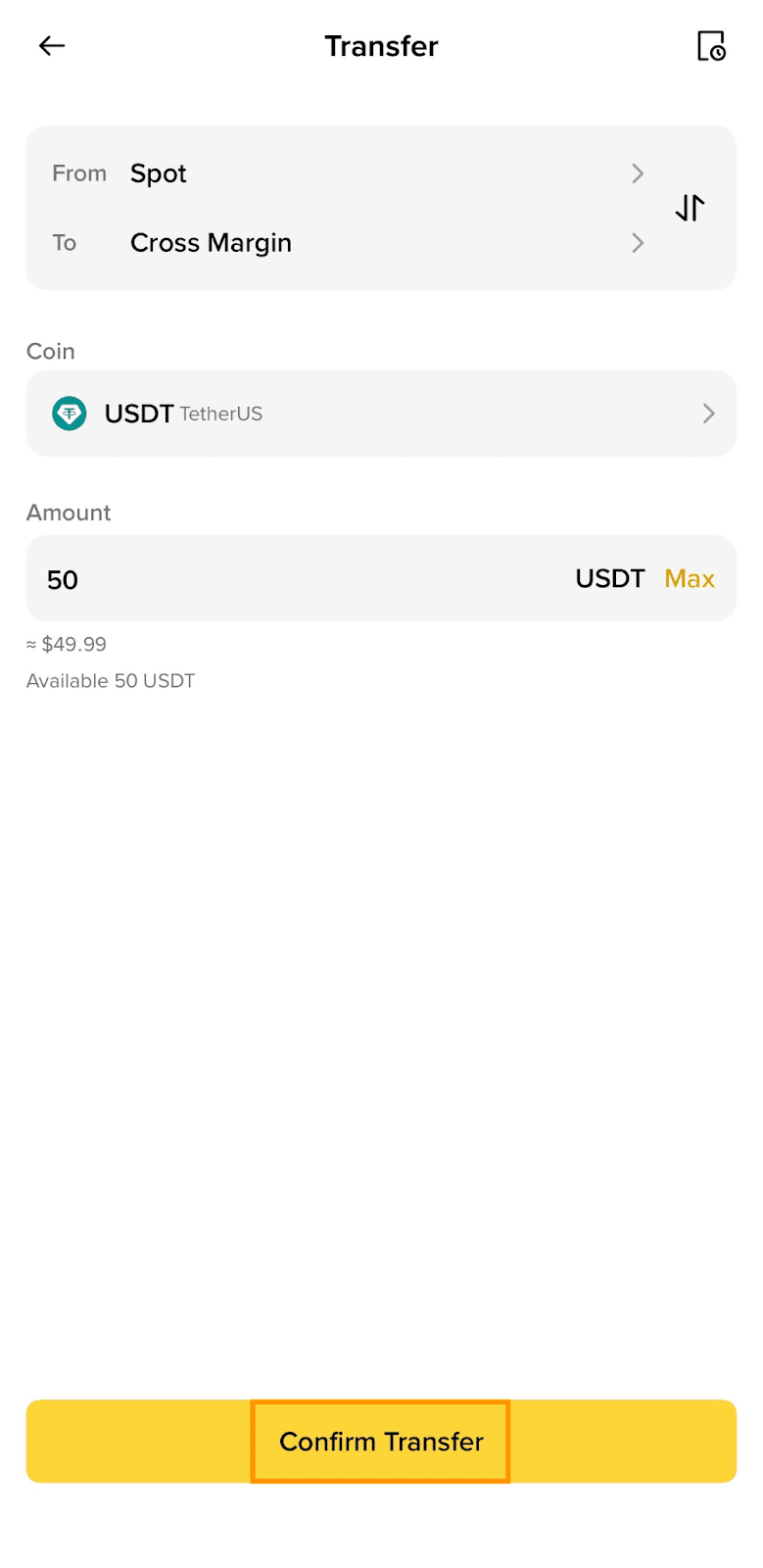
2. Select the wallet you wish to transfer from and confirm that you are transferring to your Cross or Isolated Margin Wallet. Choose a coin and enter the amount, tap [Confirm Transfer].
3. Once the transfer is complete, you’ll see the updated balance from your Margin Account dashboard.
