
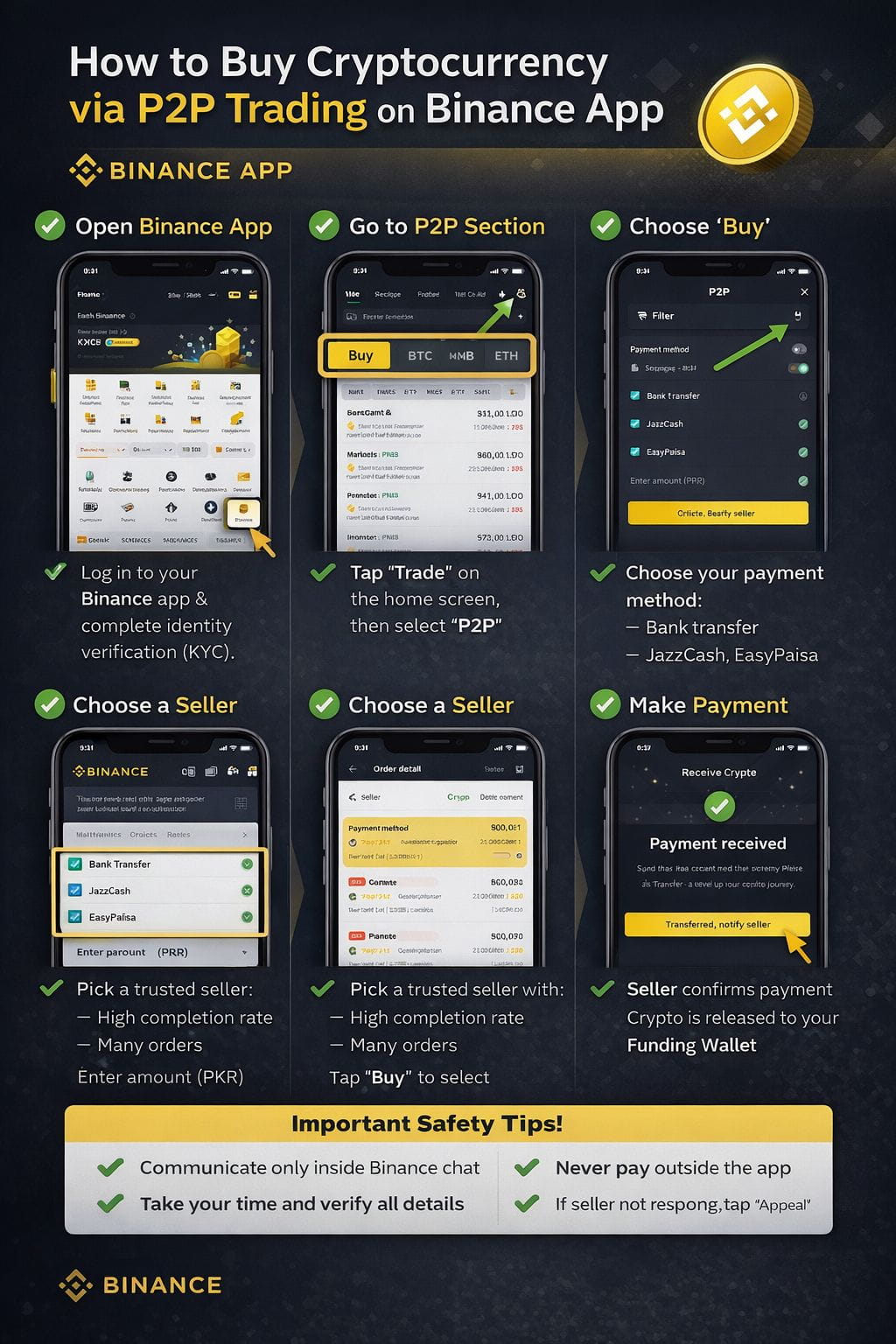
 (Step-by-Step Guide)
✅ Step 1: Open Binance App
Login to your Binance app
Make sure identity (KYC) is completed
✅ Step 2: Go to P2P Section
On the home screen, tap “Trade”
Select “P2P”
✅ Step 3: Choose “Buy”
At the top, select BUY
Choose the crypto you want:
USDT (recommended for beginners)
BTC / ETH / BNB (optional)
📌 USDT is best because it’s stable and used to buy other coins later.
✅ Step 4: Select Payment Method
Choose your payment option:
Bank Transfer
JazzCash / EasyPaisa (Pakistan)
Enter the amount (PKR)
✅ Step 5: Choose a Seller
Check carefully:
✅ High completion rate (95%+)
✅ Many orders
✅ Online status
Tap Buy on the trusted seller.
✅ Step 6: Make Payment
Binance will show seller’s bank/JazzCash details
Send exact amount
DO NOT write “crypto” in remarks
After payment, tap “Transferred, Notify Seller”
⚠️ Never cancel after sending payment
✅ Step 7: Receive Crypto
Seller confirms payment
Crypto is released to your Funding Wallet
🎉 Done!
🔐 Important Safety Tips
Always chat inside Binance
Never pay outside the app
Don’t rush—verify details
Use Appeal if seller doesn’t respond
📌 What to Do After Buying?
Funding Wallet → Transfer to Spot Wallet
Then you can:
Trade coins
Hold (HODL)
Withdraw later
#MarketRebound #WriteToEarnUpgrade #P2P #TrumpTariffsOnEurope #Binance

